EVE Wrench

EVE stores account and character settings (overview, window layout, probe formations, keybinds) in binary files on disk, so copying a setup to a new alt usually means shuffling .dat files by hand. EVE Wrench makes this a safe, visual workflow. It runs on Windows, macOS, and Linux and supports all servers: Tranquility, Singularity, Thunderdome, and Serenity.



Settings sync
Pick a source account or character, pick one or more targets, and copy in one click. Each settings group has a checkbox, so you can push your overview, window layout, and suppressed dialogs everywhere while leaving a character's module slots or search history untouched. Account settings only copy to accounts and character settings only to characters, and every target is backed up before changes.
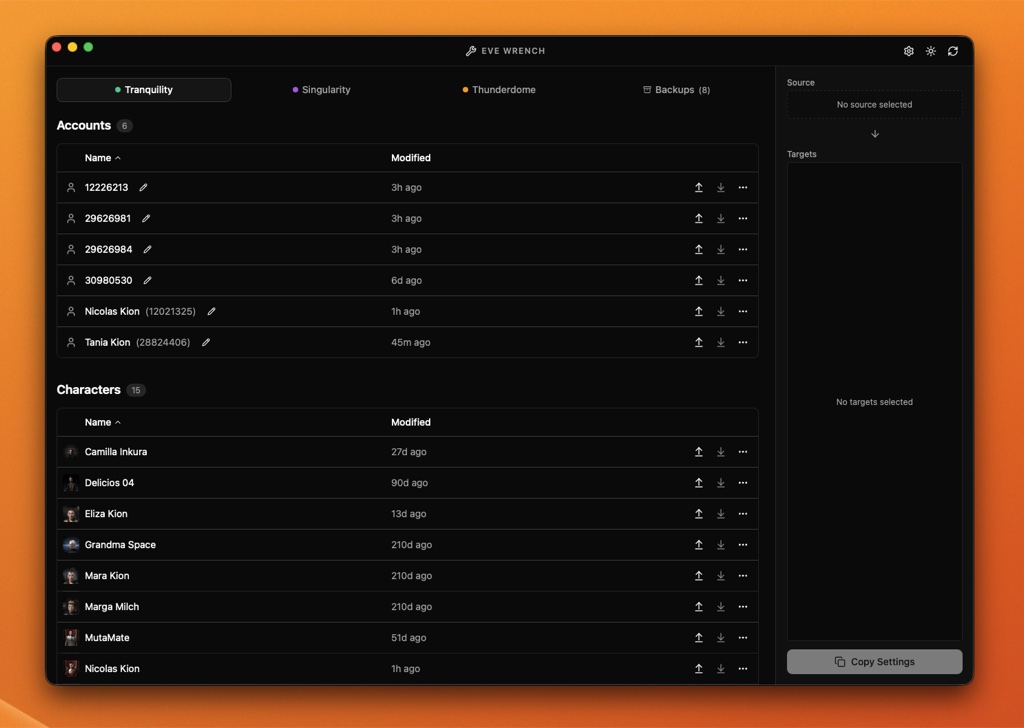
Accounts and characters on Tranquility, with the sync panel on the right.
Backups
Create named, timestamped backups of any account or character. Restore a backup to its origin, or apply it to any compatible target. Backups are stored inside EVE's own settings folders, so they are easy to find and survive a reinstall of the app.
Probe formation editor
A 3D editor for custom probe scanner formations, with presets (Pinpoint, Drifter, directional stacks), per-probe coordinates in km, and the valid scan ranges from 0.25 to 32 AU. Formations can be scaled, rotated, duplicated, and balanced with a counterweight probe so they launch centered on your ship. Saves are lossless, backed up first, and need no client restart.
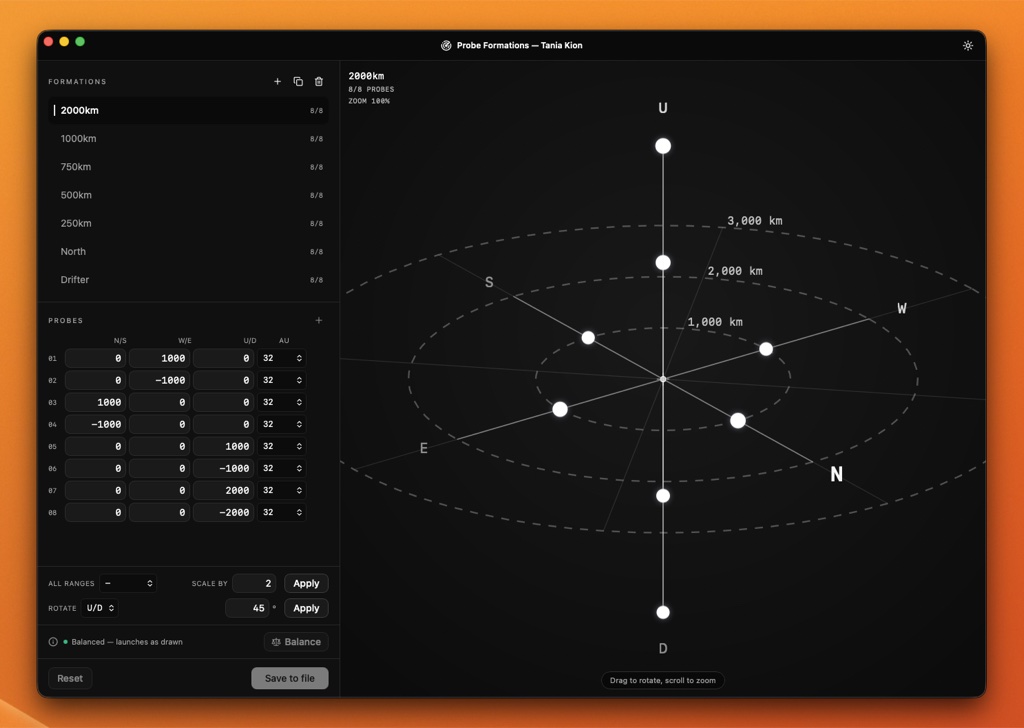
Editing a formation in the 3D preview.
Import and export
Export all settings, backups, and aliases as a single archive. On import, each file is classified as new, unchanged, or conflicting, and only the conflicts you confirm are overwritten, with a backup made first.
Identification
Characters are shown with their portrait and corporation from ESI. Accounts, which EVE identifies only by number, can be given custom aliases.
Extras
EVE Wrench can edit settings the client does not expose, such as Always Show Bracket Text, supports custom settings folder locations, and ships with light and dark themes in English and Chinese.