EVEOps
Screenshots
Features
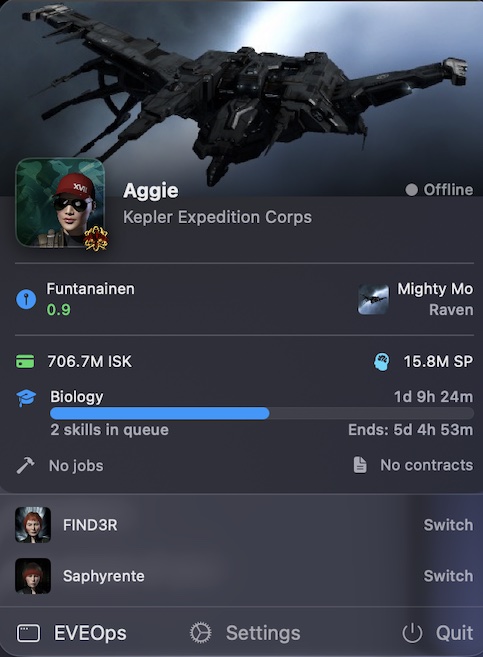
EVEOps lives in your macOS menu bar and gives you instant visibility into your characters and corporation you manage. No browser tabs. No alt-tabbing. Just the information you need, always one click away.
Full Character Support
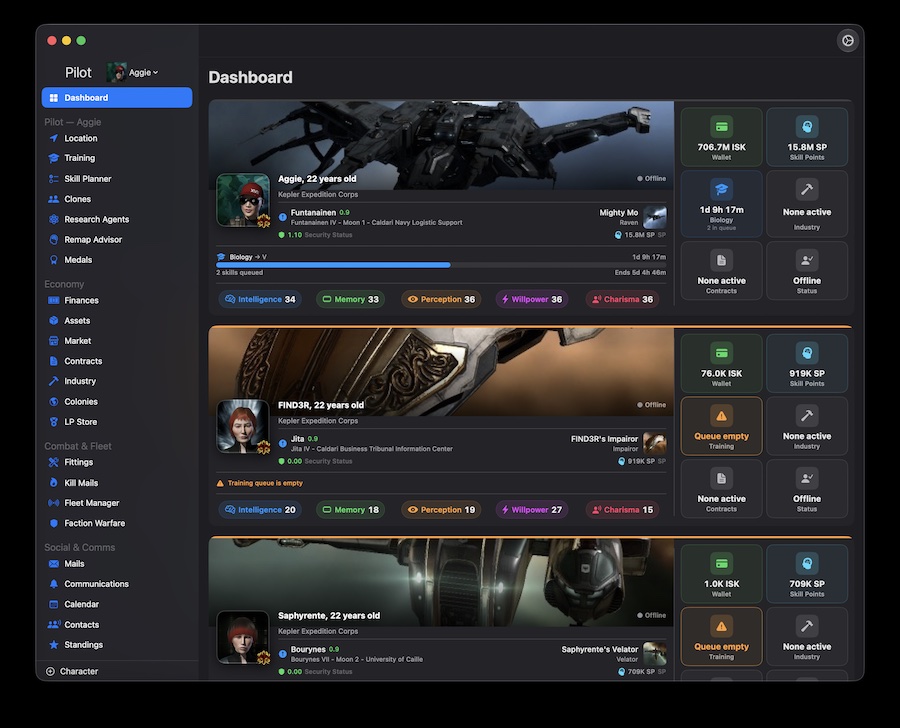
- Add and manage up to three EVE characters from a single app
- Dashboard lists key stats
Menu Bar Integration
- Persistent menu bar icon for instant access
- Character summary: wallet, ship, location, skill queue, industry jobs, contracts, PI colony status
- Online/offline status indicator (alpha - based on KillMails)
Character Monitoring
| Section | What you see |
|---|---|
| Dashboard | Wealth, SP, online status, skill queue, jobs, contracts, PI alerts — all characters |
| Location | Current system, security status, ship name and type |
| Training | Active skill, queue length, finish times, empty queue warnings |
| Finances | Wallet balance, market orders, escrow, net worth charts |
| Assets | Full asset inventory with type icons and locations |
| Clones | Jump clones and implant sets |
| Colonies | PI colonies with extractor status and expiry alerts |
| Contracts | Outstanding and in-progress contracts |
| Industry | Active manufacturing and research jobs |
| Mails | EVE mail inbox |
| Communications | In-game notifications and alerts |
Corporation Monitoring
| Section | What you see |
|---|---|
| Assets | Corporation-wide asset inventory |
| Industry | Active corporation manufacturing and research jobs |
| Members | Member roster |
| Structures | Deployed structures and their states |
| Wallets | Corporation divisional wallet balances |
Smart Caching
- ESI response cache respects
Expiresheaders — no unnecessary API calls - Universe data (types, systems, regions, stations) persisted to disk with a 7-day TTL
- Name resolution cache persisted to disk across launches
- Dashboard data prefetched in the background on startup for instant display
Background Monitoring & Notifications
- Background refresh keeps data current even when the window is closed
- Native macOS notifications for important events (skill queue empty, extractors offline, etc.)
Security
- EVE SSO with OAuth 2.0 + PKCE — no passwords stored, ever
- Tokens stored securely in the macOS Keychain
- All communication goes directly to CCP's ESI — no middleman